
Introduction to ArcGIS Online (AGOL) | Length Varies
In this course, students will explore the fundamentals of ArcGIS Online (AGOL) as a powerful web mapping software for creating and managing content, building interactive web maps and apps, and sharing spatial information.
The course begins with an introduction to the AGOL system of applications, credits, sharing properties, user types, user roles, and licensing capabilities. The course then proceeds with an overview of the pre-configured AGOL environment. Students will learn how to use the AGOL Map Viewer to symbolize, label, and configure pop-ups for web layers, as well as how to build web applications using ArcGIS Instant Apps, Dashboards, Experience Builder, and StoryMaps. Finally, students will learn how to edit, analyze, and view data collected in the field using Field Maps and Survey123.
Upon completion of this course, students will be able to navigate the AGOL environment and utilize its many tools for creating, managing, and sharing spatial content.
Overview
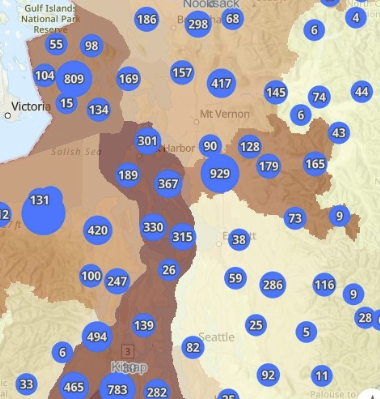
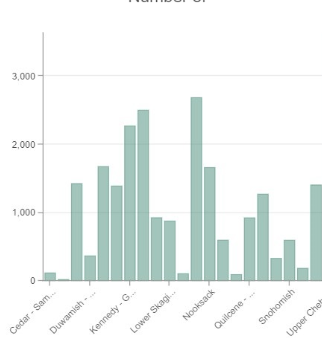
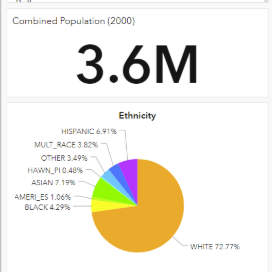
- Introduction to the AGOL Platform
- Publish Web Layers from ArcGIS Pro
- Search for Data in AGOL
- Working with Web Layers
- Configure Web Layers in Map Viewer
- Symbolize, Label, and Configure Pop-ups
- Building a Web Map
- Introduction to Web Applications in AGOL
Topics
- ArcGIS Instant Apps
- ArcGIS Dashboards
- ArcGIS StoryMaps
- ArcGIS Dashboards
- ArcGIS Experience Builder
- ArcGIS StoryMaps
- ArcGIS Survey123
- ArcGIS Field Maps